Introduction
If you are planning to start your own website, then you are in the right place. Nowadays, creating a website has become as easy as a child’s game. Don’t know coding? That’s okay! You can still create a fully functional website without writing a single line of code.
But when it comes to buying hosting, many beginners get confused between two popular names — Hostinger vs Namecheap.
Both companies are well-known in the web hosting industry and are considered affordable options. However, the success of your website, its speed, and security highly depend on the hosting provider you choose. In this article, we will compare Hostinger and Namecheap in detail so you can make the right decision for your blog.
 Quick Comparison: Hostinger vs Namecheap
 Quick Comparison: Hostinger vs Namecheap
| Features | Hostinger | Namecheap |
|---|---|---|
| Technology | LiteSpeed (Very Fast) | Apache (Good/Average) |
| Speed & Performance | Excellent | Average |
| Control Panel | hPanel (Modern & Easy) | cPanel (Traditional) |
| Free Domain | Yes (1 Year) | Only on Some Plans |
| Free Migration | Easy & Free | Free but Slightly Technical |
| Customer Support | 24/7 Live Chat (Fast) | 24/7 Live Chat |
| Renewal Price | Slightly Higher | Comparatively Cheaper |
1. Speed & Performance
 1. Speed & Performance
Website speed is one of the most important factors. If your website loads slowly, visitors will leave immediately, and Google may not rank your site properly.
Hostinger
Hostinger uses LiteSpeed Web Server technology, which is extremely fast. Its built-in LiteSpeed Cache plugin helps WordPress websites load much faster. It also provides more than 99.9% uptime.
Namecheap
Namecheap’s speed is not bad, but compared to Hostinger, it is slightly slower. It works fine for small websites with low traffic, but performance may decrease as traffic grows.
Winner: Hostinger
Hostinger clearly performs better in terms of speed and overall performance.
2. Ease of Use
 2. Ease of Use
For beginners, hosting management should be simple and user-friendly.
Hostinger
Hostinger uses its own custom control panel called hPanel. It looks clean, modern, and is very easy to understand. You can install WordPress and activate free SSL certificates with just one click.
Namecheap
Namecheap uses the traditional cPanel. While cPanel is powerful and feature-rich, it can look complicated for beginners.
Winner: Hostinger
Thanks to hPanel, Hostinger is more beginner-friendly.
3. Pricing & Renewal Costs
 3. Pricing & Renewal Costs
Both hosting providers look very cheap at first, but there are some important differences.
Hostinger
Hostinger offers very low starting prices, but usually requires a longer-term plan (like 12 months or more). Renewal prices are slightly higher. However, you get a free domain name and free business email with many plans.
Namecheap
As the name suggests, Namecheap is affordable both initially and during renewals. Its renewal pricing is more stable and budget-friendly.
Winner: Namecheap
If your main goal is saving money, Namecheap is the better option.
4. Customer Support
 4. Customer Support
Good customer support is essential whenever your website faces issues.
Hostinger
Hostinger offers excellent 24/7 live chat support. Their support team is fast and technically knowledgeable.
Namecheap
Namecheap also provides 24/7 live chat support, but sometimes issue resolution may take a little longer.
Pros & Cons
 Pros & Cons
Hostinger
Pros
- Extremely fast speed
- Free domain included
- Modern and beginner-friendly hPanel
- Excellent WordPress support
Cons
- Renewal prices are slightly expensive
Namecheap
Pros
- Very affordable pricing
- Cheap domain registration
- Stable and budget-friendly renewal costs
Cons
- Slower than Hostinger
- cPanel feels outdated for beginners
Who Should Choose Hostinger?
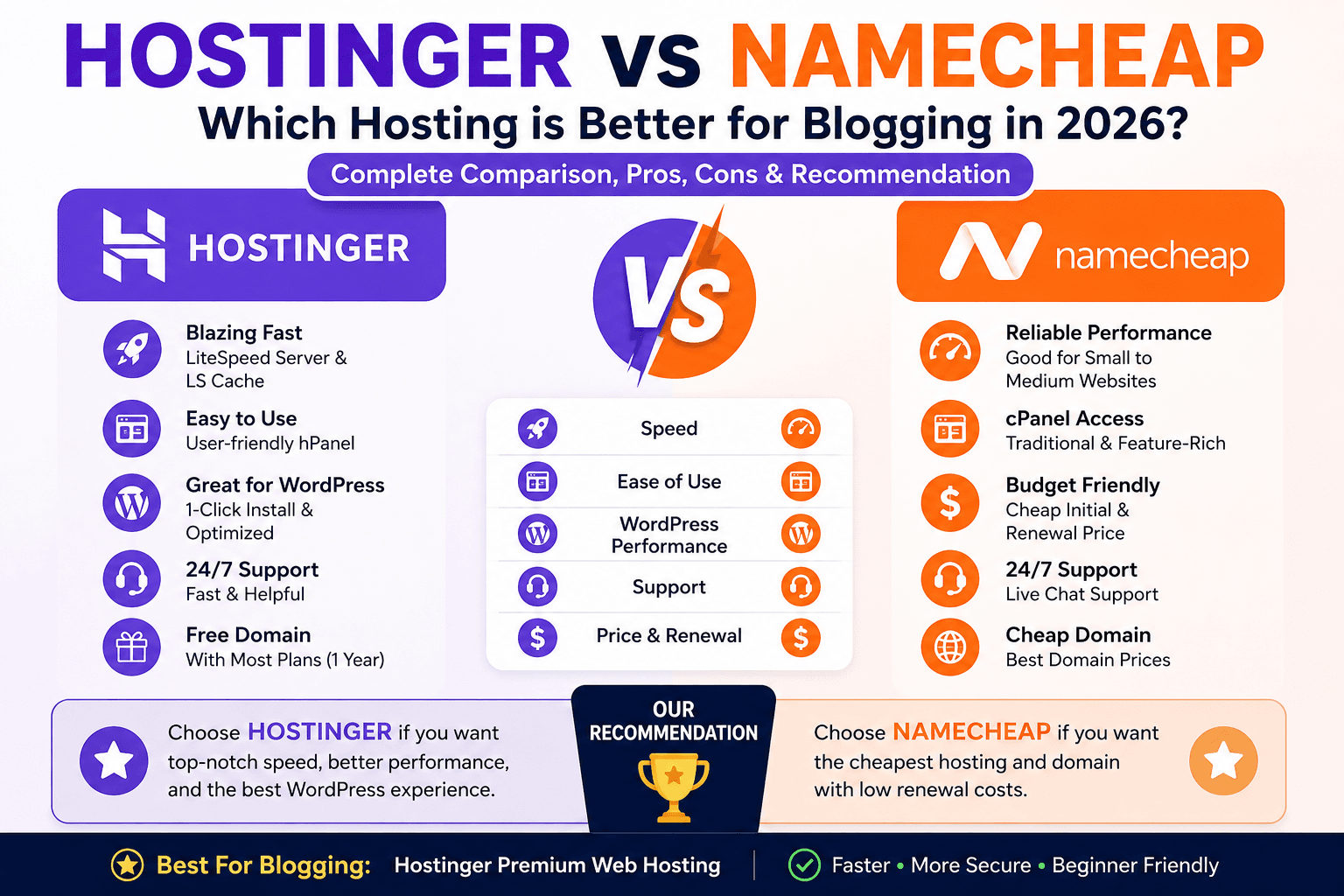
If you are serious about blogging, want your website to rank faster on Google, and need excellent speed and customer support, then Hostinger is the best choice for you. It is especially excellent for WordPress blogs.
Who Should Choose Namecheap?
If you have a very limited budget, are starting a small blog just for learning, or only want to buy a domain name, then Namecheap is a good and affordable option.
Our Recommendation
If you want to build a successful and professional website, choosing the Hostinger Premium Web Hosting plan would be a smart decision.
Why Are We Recommending Hostinger?
Why are we specifically recommending Hostinger?
As we already discussed above, Hostinger offers better speed, performance, and beginner-friendly features. But beyond that, one major reason is that setting up WordPress on Hostinger is extremely easy.
Today, we will also learn step-by-step how to install and set up WordPress on Hostinger. But before that, the first thing you need is a web hosting plan.
Final Thoughts
Which hosting provider is better ultimately depends on your needs and budget.
- Choose Hostinger if you want better speed, performance, and a professional blogging experience.
- Choose Namecheap if you want the cheapest option for learning or starting small
- We hope this comparison helped you understand the differences between Hostinger and Namecheap.
If you face any issues while purchasing hosting, feel free to leave a comment below — we’ll be happy to help!